Best YouTube Channels for Video Editing and Filmmaking Every Creator Should Subscribe To
You spend hours filming your content, but when you sit down to edit, something feels off. The pacing drags. The color looks flat. Your transitions feel clunky. You know the footage has potential, but you lack the technical skills to unlock it.
This gap between vision and execution stops thousands of creators from growing their channels. The good news: you do not need film school to close it. Some of the best video editing and filmmaking education is free on YouTube, taught by working professionals who understand exactly what you are trying to build.
This guide breaks down the channels that will actually improve your craft. No fluff, no outdated tutorials from 2012. These are active creators publishing current techniques, software workflows, and production strategies that translate directly to better videos.
Channels That Teach Storytelling Through Editing
This Guy Edits
Most editing tutorials focus on button-pushing: where to click, which effect to apply, how to render. This Guy Edits takes a different approach. The channel teaches you how to think like an editor, focusing on pacing, rhythm, and narrative structure.
According to PodcastVideos, This Guy Edits specializes in teaching storytelling through editing. The tutorials break down how professional editors use cuts to control emotion, build tension, and guide viewer attention.
If you have ever watched a video that just "felt right" without knowing why, this channel explains the invisible craft behind that feeling. You will learn when to cut, when to hold, and how to use silence as powerfully as sound.
Jeven Dovey
Vlogging looks simple until you try it. Point camera at face, talk, done. Except your vlogs feel boring compared to the creators you admire, and you cannot figure out why.
Jeven Dovey specializes in vlog storytelling and audience engagement. Checksub notes that his channel covers how to structure daily content, maintain viewer interest across 10-15 minute videos, and use equipment like drones to add production value without overcomplicating your workflow.
His tutorials focus on the unique challenges of vlog editing: creating narrative arcs from unscripted footage, choosing which moments to keep, and building a consistent style that becomes your signature.
Technical Deep Dives for Advanced Techniques
Waqas Qazi
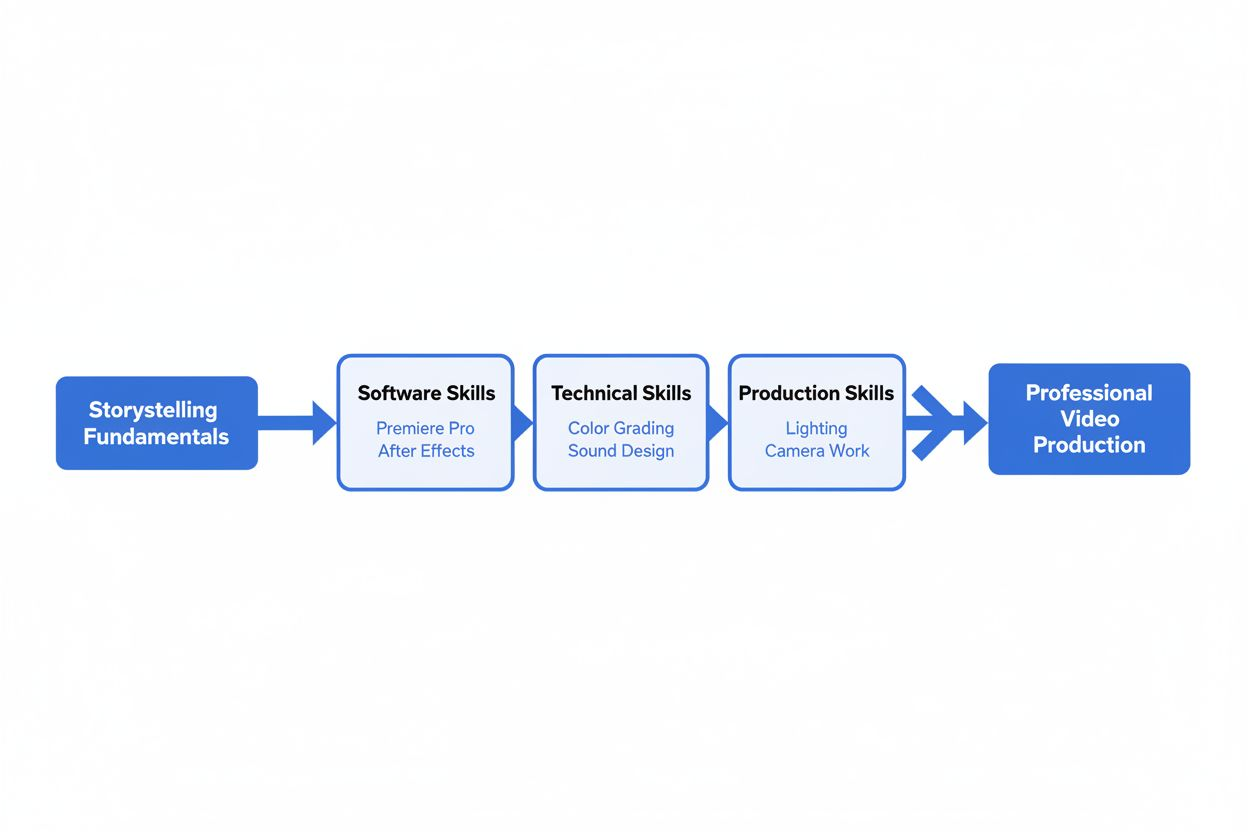
Once you master the basics, you hit a new wall. Your edits are competent but lack polish. The color does not pop. Motion graphics feel amateurish. You need technical depth, not beginner tutorials.
Waqas Qazi provides exactly that. PodcastVideos describes his channel as offering technical deep dives into color grading, motion design, sound workflows, and advanced editing techniques.
These are not quick tips. They are comprehensive breakdowns of professional workflows: how to build a proper color grading pipeline, design motion graphics that do not look like templates, and integrate sound design that elevates your entire production.
If you are ready to move from "YouTube creator" to "professional video producer," this channel bridges that gap.
Cinecom.net
Theory matters, but you learn fastest by doing. Cinecom.net structures its content around project-based tutorials that walk you through complete edits from start to finish.
The channel covers Premiere Pro, After Effects, and motion graphics through real projects. PodcastVideos highlights their project-based approach, which means you are not just learning isolated techniques but seeing how professionals combine tools to achieve specific results.
You might follow along as they build a music video edit, create a product showcase with motion graphics, or design a title sequence. By the end, you have both a finished piece for your portfolio and a deeper understanding of how the tools work together.
Software-Specific Mastery
Premiere Gal
Adobe Premiere Pro is powerful but overwhelming. The interface has hundreds of buttons, and YouTube is full of tutorials teaching you the slowest possible way to do everything.
Premiere Gal focuses on workflow efficiency. Checksub notes that her channel covers Adobe Premiere Pro tips, workflow speed-ups, and creative effects.
The channel is particularly valuable for creators who already know the basics but want to edit faster. You will learn keyboard shortcuts that actually matter, organizational systems that prevent project chaos, and effects that look professional without requiring After Effects.
If you are spending six hours editing a 10-minute video, this channel will cut that time in half.
Ripple Training
Some channels are run by enthusiasts. Others are run by industry veterans. Ripple Training falls into the second category.
According to KROCK.IO, Ripple Training is run by Steve Martin, a long-time video editor and media evangelist. The channel offers structured, professional-grade training that treats video editing as a serious craft.
The tutorials assume you want to do this right, not just quickly. You will find deep dives into media management, proxy workflows, and professional delivery specs that matter when you start working with clients or brands.
Gear, Lighting, and Production Quality
Think Media TV
You can edit brilliantly, but if your source footage looks bad, your final video will look bad. Production quality starts before you ever open your editing software.
Think Media TV, run by Sean Connell, publishes weekly content on tech, video gear, lighting, and audio gear. Wipster describes the channel as covering reviews and tutorials for production equipment.
The channel helps you make smart gear decisions. You will learn which microphone actually matters for your setup, how to light a talking-head video with $50 worth of equipment, and which camera settings to use for YouTube uploads.
The value is not in buying expensive gear but in understanding what each piece of equipment does and whether you actually need it.
Aputure's Four-Minute Film School
Lighting transforms amateur footage into professional content. But lighting tutorials often run 30 minutes and leave you more confused than when you started.
Aputure's Four-Minute Film School solves this with short, focused clips. KROCK.IO notes the channel covers lighting setup, cinematography guidance, and microphone setup in digestible segments.
Each video tackles one specific concept: three-point lighting, how to diffuse harsh sunlight, where to place a microphone for clean audio. You can watch one before a shoot and immediately apply what you learned.
The brevity is the strength. You get actionable information without the filler.
Channels for Complete Beginners
Meredith Marsh
If you are starting a business and need video content but have zero editing experience, most tutorials will overwhelm you. They assume knowledge you do not have and teach techniques you do not need yet.
Meredith Marsh teaches video editing basics specifically for online business and product selling. Checksub highlights her focus on practical skills for entrepreneurs.
You will learn how to edit product demos, create simple promotional videos, and produce content that sells without needing advanced effects or complex workflows. The channel respects that your goal is business growth, not becoming a professional editor.
DSLRguide
When you are just starting, you need inspiration as much as instruction. You need to see what is possible and believe you can get there.
DSLRguide covers post-production strategies, filmmaking accessories, and inspirational content for both amateur and professional video creators. Wipster describes the channel as serving creators at all levels.
The mix of technical tutorials and motivational content helps you build skills while maintaining enthusiasm. You will find gear reviews for budget-conscious creators, editing techniques explained simply, and case studies of creators who started exactly where you are now.
Learning from Working Professionals
Peter McKinnon
Some creators teach. Others do. Peter McKinnon does both at a massive scale.
With over 8 million subscribers, McKinnon covers filmmaking techniques, camera settings, sound design, and editing tips. KROCK.IO notes his substantial following and comprehensive coverage.
What sets his channel apart is that he is actively creating commercial work, not just tutorials. You see techniques applied in real projects, which helps you understand not just how to do something but when and why to use it.
The production quality of his tutorials also serves as a masterclass. You are learning editing techniques while watching an expertly edited video, which provides a model to aspire to.
Olufemii Tutorials
Working with major brands teaches you things that hobby projects never will. Deadlines, client feedback, professional standards, and delivery requirements all shape how you approach editing.
Olufemii Tutorials, run by Josh Enobakhare, brings that professional experience to YouTube. Wipster notes that Enobakhare started the channel in 2014 and has worked with Coca-Cola, Sean Kingston, and George Fox University.
The channel offers insights into professional workflows, client management, and the business side of video production. If you want to turn editing into paid work, not just a hobby, this channel shows you what that transition actually looks like.
Specialized Content for Streamers and Live Content
Stream Scheme
If your content is live streams or stream highlights, traditional editing tutorials miss the mark. You need different skills: overlays, alerts, scene transitions, and platform-specific optimization.
Stream Scheme covers OBS settings, stream overlays, monetization tips, and gear reviews specifically for Twitch and YouTube creators. PodcastVideos describes the channel's focus on streaming-specific content.
You will learn how to set up professional-looking streams without expensive hardware, create custom overlays and alerts, and edit stream highlights into engaging YouTube content. The channel understands that streaming and traditional video production require different approaches.
Building Your Learning Path
Subscribing to every channel on this list will overwhelm you. Your YouTube homepage will become a fire hose of tutorials, and you will learn nothing because you are trying to learn everything.
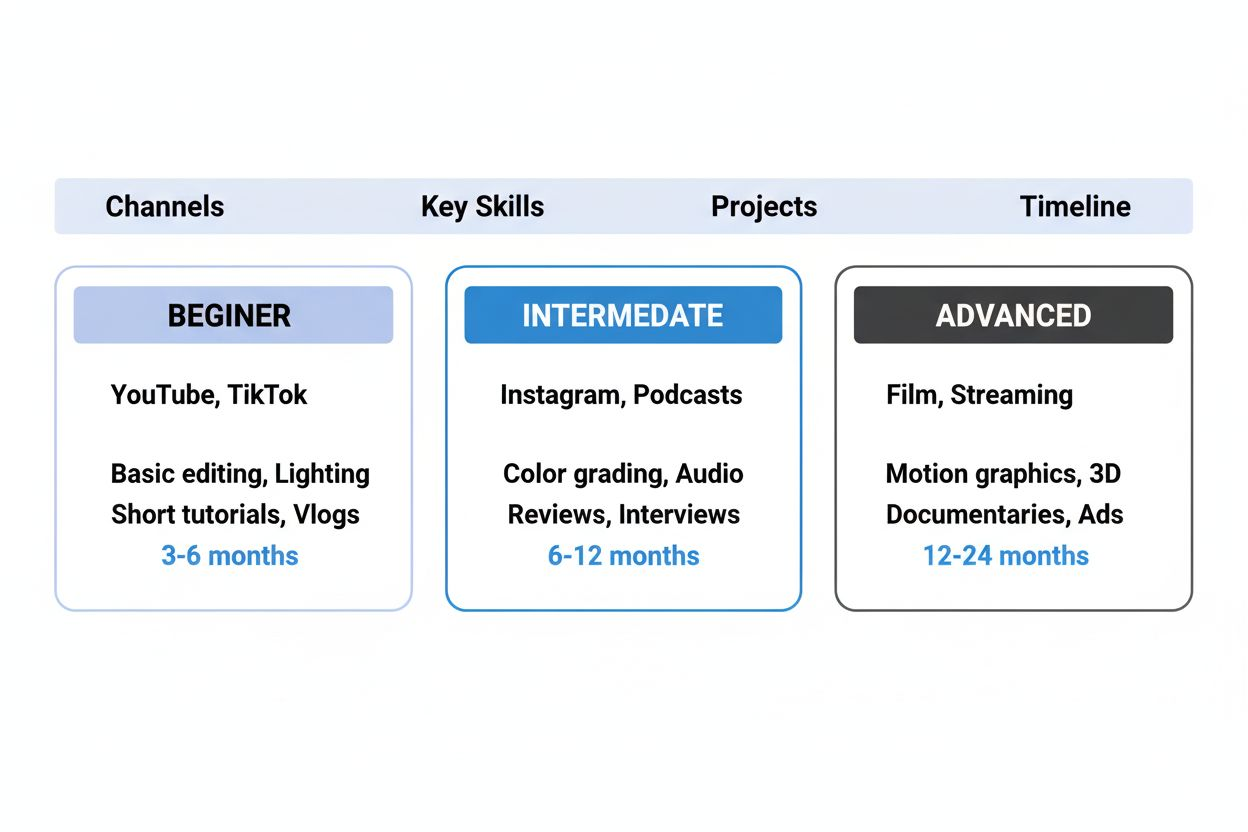
Instead, choose based on where you are now and what you need next:
If you are just starting: Begin with DSLRguide and Meredith Marsh. Get comfortable with basic software and simple projects. Focus on finishing videos, not perfecting them.
If you know the basics but your videos lack polish: Add This Guy Edits and Premiere Gal. Work on storytelling structure and workflow efficiency. Your goal is to edit faster while improving quality.
If you are ready for advanced techniques: Bring in Waqas Qazi and Cinecom.net. Start building a professional portfolio. Learn color grading, motion graphics, and sound design.
If you need better source footage: Prioritize Think Media TV and Aputure. Improve your lighting, audio, and camera work. No amount of editing fixes bad footage.
If you want to work professionally: Study Peter McKinnon and Olufemii Tutorials. Learn how professionals approach projects, manage clients, and deliver consistent quality under deadline pressure.
Watch one tutorial. Apply it to your next video. Then watch another. Learning happens through repetition and application, not passive consumption.
The Real Value of Free Education
Film school costs tens of thousands of dollars. These channels cost nothing but your time.
The catch is that free education requires self-discipline. No one assigns homework. No one checks if you actually tried the technique. No one holds you accountable for improving.
You have to create that structure yourself. Set a goal: one new technique per week. Edit it into a real project, not a practice file you will never publish. Review the result honestly. What worked? What did not? What do you need to learn next?
The channels listed here have taught thousands of creators the skills that now earn them full-time incomes. The information is available. The question is whether you will use it.
Your next video can be better than your last one. The tutorial that teaches you how is already uploaded, waiting for you to press play.