YouTube Video Finder Tools Compared: Which Tool Fits Your Channel Size and Goals

You upload a video. You wait. Nothing happens.
Meanwhile, someone in your niche posts similar content and gets 50,000 views in 48 hours. The difference? They knew what to create before they hit record.
A YouTube video finder does more than locate content. It reveals what audiences search for, which videos gain momentum before they explode, and where competitors find their ideas. The right tool turns guesswork into strategy.
This comparison breaks down the top YouTube video finder tools by what they do best, who should use them, and how much they cost. Whether you are launching your first channel or managing 100,000 subscribers, you will find the tool that matches your workflow.
What a YouTube Video Finder Actually Does
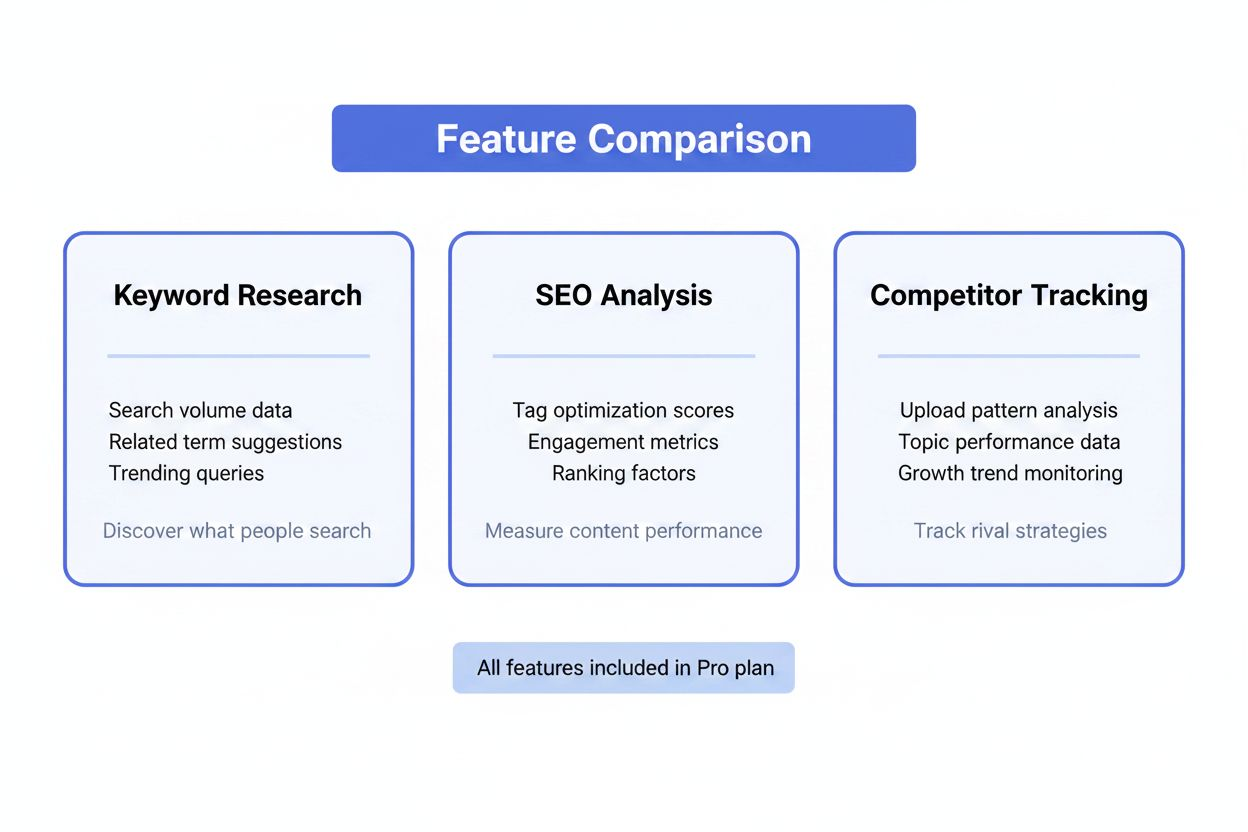
According to The Tech Trend, a YouTube video finder offers keyword insight, SEO data analysis, and competitor analysis. These tools do not just show you videos. They show you the data behind them.
Here is what that means in practice:
Keyword insight tells you what people type into YouTube's search bar. You see search volume, competition level, and related terms. Instead of guessing whether "budget meal prep" or "cheap meal prep ideas" performs better, you know.
SEO data analysis reveals why certain videos rank. You see tags, descriptions, engagement rates, and how quickly views accumulate. This helps you reverse-engineer success without copying content.
Competitor analysis tracks other channels in your space. You monitor their upload frequency, which topics get traction, and when their audience engages most. You spot patterns they might not notice themselves.
The tools differ in how deep they go and which features they prioritize. Some excel at finding trending topics before they peak. Others focus on testing thumbnails or optimizing metadata. Your channel size and content strategy determine which matters most.
Tools for Channels Under 1,000 Subscribers
When you are starting out, you need free or cheap tools that teach you the fundamentals. Paid features do not matter if you have not figured out your niche yet.
YouTube Studio (Free)
YouTube's native analytics cost nothing and show you exactly what your current audience does. You see which videos people watch all the way through, where they drop off, and what they click next.
The search terms report tells you what people typed before finding your videos. If you notice "beginner sourdough" appears often but you have not made that video yet, you have a content idea backed by real demand.
YouTube Studio works best for understanding your existing audience. It does not help you find new topics or analyze competitors. For that, you need external tools.
Social Blade (Free Tier)
OutlierKit notes that Social Blade offers a good free tier for competitor stats. You can track subscriber counts, video uploads, and estimated earnings for any public channel.
The free version shows daily subscriber changes and monthly video counts. You can see if a competitor's growth accelerated after they changed their content style or upload schedule.
What it does not show: detailed video performance, keyword data, or engagement metrics. You get the big picture, not the tactical details.
vidIQ Free Plan
According to The Tech Trend, vidIQ assists creators via its "Trending Videos" tab and velocity metrics for niche discovery. The free plan includes basic keyword research and a browser extension that displays stats directly on YouTube.
When you search YouTube, vidIQ shows search volume and competition scores next to each keyword. You can compare "vegan breakfast recipes" (high competition) against "high-protein vegan breakfast" (lower competition, still decent volume).
The Trending Videos tab surfaces content gaining views faster than usual in your niche. This helps you spot topics before they saturate.
Limitations of the free plan: You get three keyword lookups per day and cannot access historical data or advanced competitor tracking.
Tools for Growing Channels (1,000 to 100,000 Subscribers)
Once you hit 1,000 subscribers, you have proven your concept works. Now you need tools that help you scale what is working and fix what is not.
vidIQ Pro ($7.50-$39/month)
TubeAnalytics identifies vidIQ as best for growing creators with 1,000 to 100,000 subscribers focused on search-driven content. The paid tiers unlock unlimited keyword research, competitor tracking, and bulk analysis.
The Competitor Scorecard tracks up to five channels. You see their most successful videos from the past week, which tags they use, and how their engagement rates compare to yours. If a competitor's "morning routine" video got 10x their average views, you can analyze why before creating your version.
Keyword research becomes unlimited. You can build lists of related terms, see seasonal trends, and identify gaps where search demand exists but few quality videos compete.
The Daily Ideas feature suggests topics based on your channel's niche and current trends. It is not always accurate, but it surfaces angles you might miss.
Price tiers:
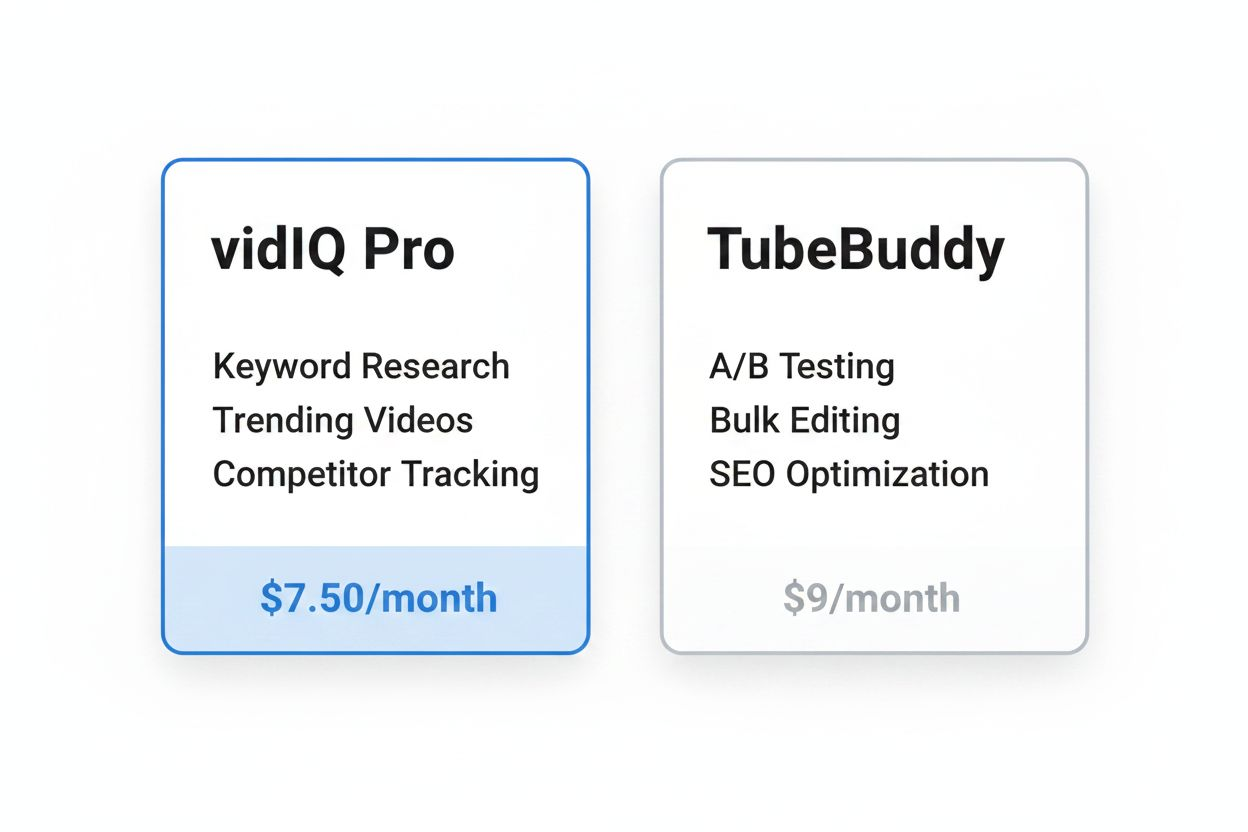
- Pro: $7.50/month (billed annually) - unlimited keyword research, basic competitor tracking
- Boost: $39/month - advanced analytics, trend alerts, bulk processing
Who should skip it: Channels focused on browse features (homepage, suggested videos) over search. If most of your traffic comes from recommendations rather than search, TubeBuddy's A/B testing matters more than vidIQ's keyword tools.
TubeBuddy ($2-$16.50/month)
According to TubeAnalytics, TubeBuddy excels at A/B split-testing for titles, thumbnails, descriptions, and tags with statistical significance tracking. This is the tool for optimizing what you already create.
The A/B testing works like this: You upload a video with two different thumbnails. TubeBuddy rotates them and tracks which one gets more clicks. After gathering enough data (usually 24-48 hours), it automatically sets the winner as permanent.
You can test titles the same way. "How I Lost 20 Pounds" versus "I Lost 20 Pounds in 60 Days (Here's How)" - the tool tells you which phrasing your audience prefers.
The SEO Studio analyzes your video before you publish. It scores your title, description, and tags based on best practices and suggests improvements. If your title is too long or your description lacks keywords, you see warnings.
Bulk processing tools let you update cards, end screens, and descriptions across multiple videos at once. If you decide to add a new call-to-action to your back catalog, you can do it in minutes instead of hours.
Price tiers:
- Pro: $2/month (limited features, good for testing the platform)
- Star: $16.50/month (includes A/B testing, bulk tools, advanced SEO features)
OutlierKit notes that VidIQ is stronger for keyword research and trend discovery, while TubeBuddy is better for A/B testing and video optimization. Many creators use both.
Using Both Tools Together
TubeAnalytics reports that many channels above 50,000 subscribers run both VidIQ and TubeBuddy simultaneously - VidIQ for research, TubeBuddy for execution.
The workflow looks like this:
- Use vidIQ to find high-potential keywords and trending topics
- Create your video around that research
- Use TubeBuddy to optimize title, thumbnail, and metadata
- Run A/B tests to refine what works
- Use vidIQ's competitor tracking to see if your video performs as expected
At $24/month combined (vidIQ Pro + TubeBuddy Star), this setup costs less than most creators spend on stock footage subscriptions. If you upload weekly and each video has a multi-year lifespan, the investment pays for itself quickly.
Tools for Established Channels (100,000+ Subscribers)
Large channels need different tools. You already know your niche. You need data that helps you stay ahead of trends, test at scale, and understand your position in the broader market.
ThumbnailTest ($29-$99/month)
According to TubeAnalytics, ThumbnailTest starts at $29/month for 10 tests and is best for established creators above 100,000 subscribers.
This tool does one thing: rigorous thumbnail testing. Unlike TubeBuddy's built-in A/B testing, ThumbnailTest runs longer experiments and provides more detailed statistical analysis.
You can test up to six thumbnail variations simultaneously. The tool tracks click-through rate, watch time, and whether certain thumbnails perform better with specific audience segments (new viewers versus subscribers, mobile versus desktop).
The analytics dashboard shows confidence intervals and sample sizes. You know when a result is statistically significant versus random noise. This matters when a 0.5% improvement in click-through rate translates to thousands of additional views.
Price tiers:
- Starter: $29/month (10 tests)
- Pro: $99/month (unlimited tests, advanced segmentation)
Who needs this: Channels where small improvements have big impacts. If you get 100,000 views per video, a 2% click-through rate increase means 2,000 more views. Over a year, that compounds significantly.
Who should skip it: Smaller channels where TubeBuddy's basic A/B testing provides enough data. If your videos get 1,000 views, you do not have enough traffic to run statistically meaningful tests.
Viewstats Pro ($49/month)
OutlierKit reports that Viewstats Pro was built by MrBeast's team and processes 2,500x more datapoints daily than other tools.
This is the most data-intensive YouTube analytics platform available. It tracks every public video on YouTube and indexes performance metrics in real time.
The outlier detection feature, according to OutlierKit, identifies videos performing 3-10x above a channel's average. You can filter by niche, upload date, and channel size to find breakout content before it goes mainstream.
Example: A cooking channel with 50,000 subscribers typically gets 10,000 views per video. Suddenly, their "one-pot pasta" video hits 80,000 views in three days. Viewstats flags this as an outlier. You can analyze what made it different (title structure, thumbnail style, topic angle) and apply those lessons.
The competitor tracking goes deeper than other tools. You see hourly view counts for the first 48 hours after upload, which reveals how quickly a video gains momentum. You can compare your launch performance against competitors and adjust your promotion strategy accordingly.
Who needs this: Channels treating YouTube as a business with multiple team members. The data depth justifies the cost when you are making strategic decisions about content direction, hiring, or sponsorship deals.
Who should skip it: Solo creators or small teams where the extra data does not change decisions. If you are not analyzing dozens of competitors or testing multiple content formats, simpler tools work fine.
Ahrefs YouTube Explorer ($129-$449/month)
The Tech Trend lists Ahrefs YouTube Explorer among top tools. It is part of Ahrefs' broader SEO suite, which means you need a full Ahrefs subscription.
The YouTube Explorer database contains data on billions of videos. You can search by keyword, channel, or topic and see:
- Estimated monthly search volume
- Top-ranking videos for any keyword
- Backlink profiles (which websites link to specific videos)
- Related keywords and questions
The backlink data is unique. If a major website links to a competitor's video, you can see it and potentially create better content to earn similar links. This matters for channels where off-platform discovery drives significant traffic.
The keyword database updates monthly with search volume estimates. Unlike vidIQ or TubeBuddy, which show relative scores, Ahrefs provides absolute numbers. "Beginner guitar lessons" shows 45,000 monthly searches, not just a score of 78/100.
Who needs this: Channels integrated with broader content marketing strategies. If you also run a blog, podcast, or email list, Ahrefs helps you coordinate topics across platforms.
Who should skip it: Creators focused only on YouTube. The full Ahrefs subscription costs $129-$449/month, which is expensive if you only use the YouTube features. VidIQ and TubeBuddy combined cost less and focus specifically on YouTube.

Specialized Tools for Specific Use Cases
Some tools solve narrow problems exceptionally well. You might not need them full-time, but they are worth knowing about.
YouTube DataViewer (Free)
The Tech Trend mentions YouTube DataViewer as a useful tool. Amnesty International built this free tool to extract metadata from any YouTube video.
You paste a video URL and get:
- Exact upload date and time
- Thumbnail URLs at different resolutions
- Video file name before upload
- Channel ID and video ID
This helps verify video authenticity and find the original source of re-uploaded content. If you see a viral video in your niche, DataViewer helps you determine if it is original or stolen.
For creators, the thumbnail extraction feature is useful. You can download high-resolution thumbnails from successful videos to study design patterns without screenshotting.
Unlistedvideos.com (Free)
The Tech Trend includes Unlistedvideos.com in their tool list. This site indexes unlisted YouTube videos that people have shared publicly.
Unlisted videos do not appear in search results or on channel pages, but anyone with the link can watch them. Companies often use unlisted videos for internal training, early access content, or private sharing.
For creators, this database reveals content strategies competitors might be testing. If a channel uploads unlisted videos before making them public, you can see their testing process.
The practical value is limited for most creators. It is more useful for researchers or journalists than for content strategy.
VideoRock AI (Pricing Varies)
The Tech Trend lists VideoRock AI among top tools. This is an AI-powered content suggestion platform that analyzes your channel and recommends video topics.
The AI considers your existing content, audience demographics, and trending topics in your niche. It generates video ideas with suggested titles, thumbnail concepts, and script outlines.
The quality varies. Sometimes it suggests genuinely useful angles you had not considered. Other times it produces generic ideas that ignore your channel's unique voice.
Who might find it useful: Creators who struggle with idea generation or want to explore adjacent niches. The suggestions can spark creativity even when you do not use them directly.
Who should skip it: Creators with strong editorial vision or limited budgets. The AI does not understand your audience better than you do after creating content for months or years.
How to Choose Based on Your Current Situation
Your channel size matters, but your content strategy matters more. Here is how to match tools to specific goals.
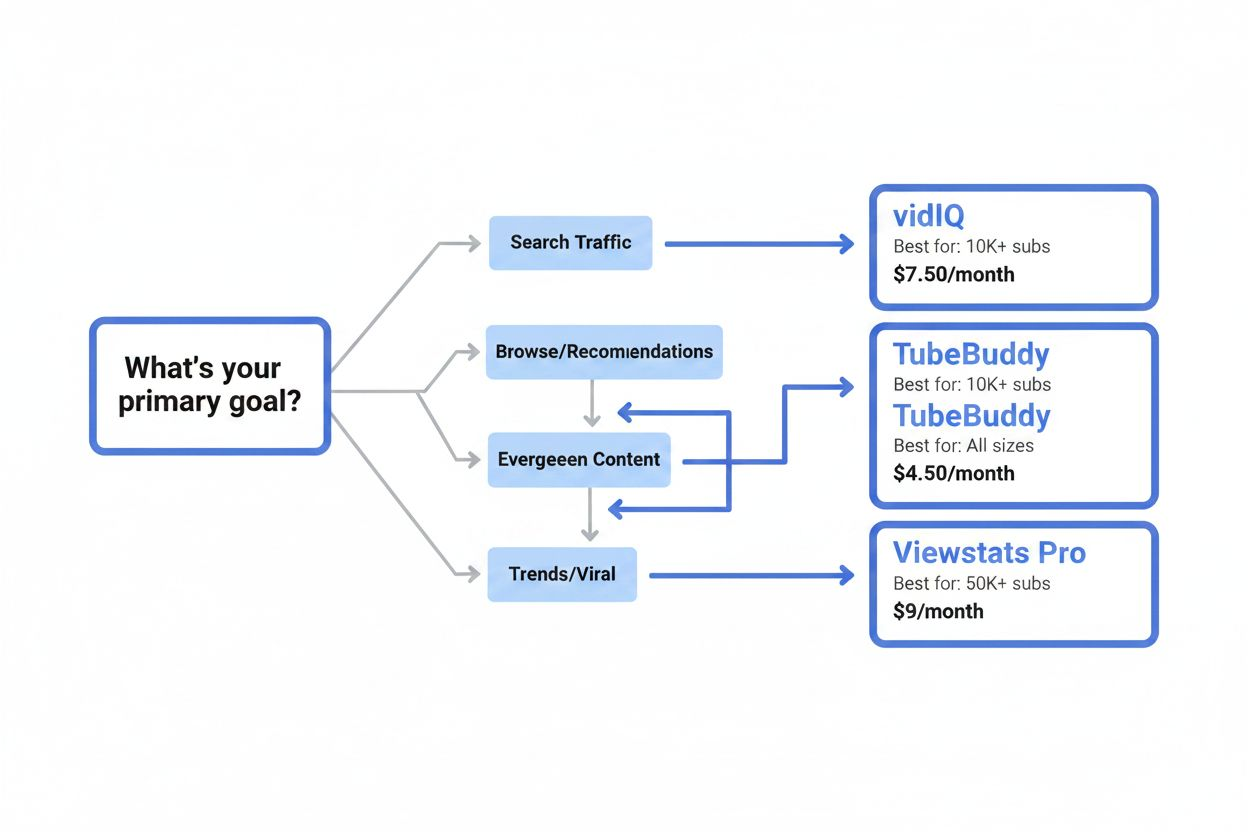
If You Prioritize Search Traffic
Use vidIQ. The keyword research and trending video features directly support search optimization. Start with the free plan to learn the interface, then upgrade to Pro ($7.50/month) when you hit the daily lookup limit.
Pair it with YouTube Studio's search terms report. VidIQ shows you what people search for. YouTube Studio shows you what they searched before finding your videos. The gap between those two reveals opportunities.
If You Focus on Browse Features and Recommendations
Use TubeBuddy for A/B testing. When your traffic comes from suggested videos and the homepage, thumbnails and titles matter more than keywords. Test variations systematically and let data guide your creative decisions.
Start with the Star plan ($16.50/month) to access A/B testing. The cheaper Pro plan does not include this feature.
If You Create Evergreen Content
Invest in both vidIQ and TubeBuddy. Evergreen content generates value for years, which means optimization compounds. Spend time getting keywords, titles, and thumbnails right because the work pays off long-term.
Use vidIQ to find topics with consistent search volume. Use TubeBuddy to optimize each video for maximum performance. The combined cost ($24/month) is justified when videos continue attracting views years after upload.
If You Chase Trends and Viral Content
Use Viewstats Pro or vidIQ's velocity metrics. You need to spot momentum early, before a topic saturates.
VidIQ's free Trending Videos tab works for casual trend monitoring. Viewstats Pro ($49/month) is worth it if you upload daily or multiple times per week and need to react quickly to emerging trends.
If You Manage Multiple Channels or a Team
Use Ahrefs YouTube Explorer or Viewstats Pro. You need centralized data that multiple people can access and analyze without stepping on each other's work.
Ahrefs integrates with broader SEO workflows if your team manages content across platforms. Viewstats Pro provides the deepest YouTube-specific data for competitive analysis.
Common Mistakes When Using These Tools
Tools provide data. They do not make decisions. Here are mistakes that waste time and money.
Chasing Every Trend the Tools Suggest
Just because a topic trends does not mean it fits your channel. If you run a personal finance channel and "celebrity gossip" starts trending, ignore it. Your audience subscribed for finance content, not gossip.
Use trend data to find angles within your niche. If "budgeting" trends, that is relevant. "Celebrity budgeting tips" might work. "Celebrity breakups" does not.
Over-optimizing Metadata and Under-delivering on Content
Perfect keywords do not fix boring videos. If your content does not hold attention, no amount of optimization will help.
Use tools to get people to click. Then focus on making content good enough that they watch, subscribe, and return. Retention matters more than discovery.
Copying Competitors Without Understanding Context
You see a competitor's video get 100,000 views and try to replicate it. Your version gets 2,000 views. What happened?
Context matters. They might have promoted it to their email list. A larger channel might have featured it. Their audience might have been asking for that specific topic for months.
Use competitor analysis to understand patterns, not to copy individual videos. If five of their recent videos about "morning routines" performed well, the topic has legs. If only one did, it might be an outlier.
Paying for Features You Do Not Use
If you upload once a month, you do not need unlimited keyword lookups or daily trend alerts. Start with free tools or basic paid plans. Upgrade only when you hit clear limitations.
Many creators pay for both vidIQ and TubeBuddy but only use one actively. Pick the tool that matches your workflow and master it before adding others.
Ignoring Your Own Analytics
External tools show you the market. YouTube Studio shows you your audience. Both matter.
If YouTube Studio shows your audience watches 80% of your 10-minute videos but drops off at 3 minutes on 20-minute videos, make shorter content. No external tool will tell you that. Your own data is the most valuable data you have.
What These Tools Cannot Do
Understanding limitations prevents disappointment and wasted effort.
They cannot predict virality. Tools show you what worked in the past and what is working now. They cannot tell you which specific video will explode. Virality depends on timing, luck, and factors no tool can measure.
They cannot replace creativity. Data tells you what topics have potential. It does not tell you how to make those topics interesting. Your unique perspective, storytelling ability, and personality determine whether people watch.
They cannot fix fundamental channel issues. If your audio quality is poor, your pacing is slow, or your content lacks focus, tools will not help. Fix production and content quality first, then optimize.
They cannot guarantee growth. Using the best tools with perfect data does not ensure success. Consistency, quality, and audience connection matter more than any software.
Building a Sustainable Research Workflow
Tools work best when integrated into a consistent process. Here is a framework that works regardless of which specific tools you choose.
Weekly research session (30-60 minutes):
- Check trending topics in your niche
- Review competitor uploads from the past week
- Note which videos outperformed expectations
- Build a list of 5-10 potential video ideas
Pre-production optimization (15-30 minutes per video):
- Research keywords for your chosen topic
- Analyze top-ranking videos for that keyword
- Draft 3-5 title options
- Sketch 2-3 thumbnail concepts
Post-upload testing (ongoing):
- Run A/B tests on titles and thumbnails
- Monitor performance for the first 48 hours
- Compare results to your averages and competitor benchmarks
- Document what worked and what did not
Monthly review (1-2 hours):
- Analyze which videos exceeded expectations
- Identify patterns in successful content
- Adjust your content strategy based on data
- Update your keyword and topic lists
This workflow takes 3-5 hours per month. That is less time than most creators spend scrolling social media looking for ideas. The structure ensures you use tools consistently rather than sporadically.
The Real Value of YouTube Video Finders
These tools do not create success. They remove some of the guesswork.
Before video finders, you uploaded content and hoped. Now you can see what audiences search for, which topics gain momentum, and how your performance compares to others in your space.
The best tool is the one you actually use. A free tool you check weekly beats an expensive tool you ignore. Start simple, learn the fundamentals, and add complexity as your channel grows.
Your channel's success depends on content quality, consistency, and connection with your audience. Tools help you make smarter decisions about what to create and how to present it. They do not replace the work of showing up, creating, and improving.
Pick one tool. Use it for three months. Learn what it tells you about your niche and your audience. Then decide if you need more data or different features. That approach costs less and teaches more than subscribing to every tool at once.
The creators who succeed do not have the most tools. They have the clearest understanding of what their audience wants and the discipline to deliver it consistently. Use these tools to sharpen that understanding, then get back to creating.